My Ultimate Content Creation Studio Setup
Ezeikel Pemberton
April 20, 2026
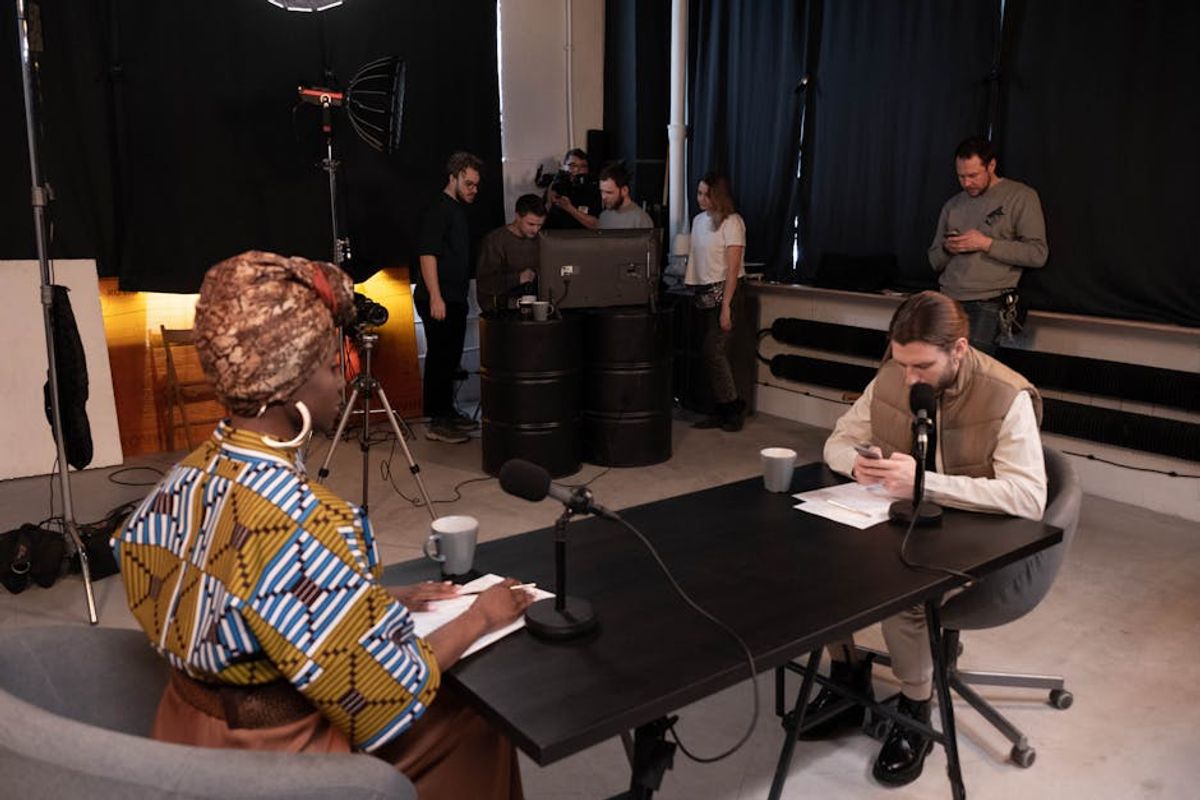
Photo: Pexels
Hey there, fellow creators and developers! Welcome to a sneak peek into my world of content creation. Whether you're a software developer, an indie hacker, or a tech-savvy creator looking to up your game, having the right studio setup can make or break your productivity and creativity. Today, I’m sharing my ultimate content creation studio setup, packed with actionable insights and practical advice to help you create a space that inspires and empowers you to produce amazing work.
The Backbone of My Studio: The Computer Setup
Let's start with the heart of any content creation studio—the computer setup. As someone who deals with a lot of coding and video editing, having a powerful machine is non-negotiable.
My Computer Specs
- Processor: AMD Ryzen 9 5900X
- RAM: 64GB DDR4
- Graphics Card: NVIDIA RTX 3080
- Storage: 1TB NVMe SSD + 4TB HDD
This setup ensures that I can run multiple demanding applications without a hitch. Whether I’m coding a new feature or rendering a video, everything runs smoothly.
Monitor Setup
I use a dual-monitor setup, which is a game-changer for productivity:
- Primary Monitor: 32-inch 4K display for detailed work.
- Secondary Monitor: 27-inch QHD display for tools, resources, and browser tabs.
Having two monitors allows me to have my code editor open on one screen while keeping documentation, design assets, or browser open on the other.
Audio and Video: The Content Creation Essentials
Creating engaging content, especially in the tech space, requires crisp audio and clear video. Here’s what I use:
Microphone
- Microphone: Shure SM7B
- Audio Interface: Focusrite Scarlett 2i2
The Shure SM7B is a staple in the podcasting and streaming world, known for its excellent sound quality. Paired with the Focusrite Scarlett, it ensures clear and professional audio for my tutorials and podcasts.
Camera and Lighting
- Camera: Sony A6400 with a 16-50mm lens
- Lighting: Elgato Key Light Air
The Sony A6400 delivers stunning 4K video, which is perfect for YouTube content. The Elgato Key Light Air provides adjustable lighting, ensuring I look my best on camera. Proper lighting cannot be overstated—it can transform your video quality dramatically.
The Coding Environment: Next.js and TypeScript
As a developer, my coding environment is tailored to maximize efficiency and maintainability. Let’s dive into a small code example that showcases my preferred practices using Next.js and TypeScript.
TypeScript with Next.js App Router
Here's a simple button component using the latest patterns:
// components/Button.tsx
type ButtonProps = {
  label: string;
  onClick: () => void;
};

const Button = ({ label, onClick }: ButtonProps) => {
  return (
    <button onClick={onClick}>
      {label}
    </button>
  );
};

export default Button;
I always prefer type over interface for type definitions, as it provides more flexibility. My components are small and composable, making them easy to test and maintain.
Utility Functions
For utility functions, I use kebab-case naming. Here's an example of a date formatting utility:
// utils/format-date.ts
export const formatDate = (date: Date): string => {
  return date.toLocaleDateString('en-US', {
    year: 'numeric',
    month: 'long',
    day: 'numeric',
  });
};
Keeping utility files simple and clear is crucial for readability and maintenance.
Productivity Tools and Software
In addition to hardware, the software I use is equally important in my content creation workflow.
Essential Software
- VS Code: My go-to code editor with all the necessary extensions for TypeScript and Next.js.
- Adobe Premiere Pro: For video editing, thanks to its robust feature set.
- Notion: For organizing content ideas, project management, and note-taking.
- Figma: For UI/UX design and prototyping.
Browser Extensions
- Wappalyzer: To discover technologies used on websites.
- JSON Viewer: For better readability of JSON data.
- React Developer Tools: Essential for debugging React applications.
Ergonomics and Comfort
Long hours at the desk call for a focus on ergonomics to prevent strain and discomfort.
The Desk and Chair
- Standing Desk: Flexispot Adjustable Desk
- Ergonomic Chair: Herman Miller Aeron
Switching between sitting and standing throughout the day keeps me active and reduces fatigue. The Herman Miller Aeron chair is a bit of an investment but worth every penny for the comfort it provides.
Accessories
- Keyboard: Keychron K2 Mechanical Keyboard
- Mouse: Logitech MX Master 3
- Desk Mat: Large desk mat for a smooth surface and organizing space
These accessories not only improve efficiency but also add a touch of personalization to my workspace.
Conclusion
And there you have it—my ultimate content creation studio setup! Each piece of equipment and software in my studio has been carefully selected to enhance my creativity and productivity. Whether you're just starting or looking to upgrade your existing setup, I hope you find these insights helpful. Remember, creating a studio space that works for you is about aligning your tools with your goals and workflow.
Feel free to share your own setup tips or any questions you have in the comments below. Happy creating!
Tags

Enjoyed this article?
Subscribe to get notified when I publish new posts about building products, coding, and indie hacking.
Subscribe to newsletter